
Updated: 11th August 2026
When your internet becomes slow, starts dropping out or stops working altogether, it can be tempting to start changing cables, resetting equipment and adjusting anything that looks related to the connection.
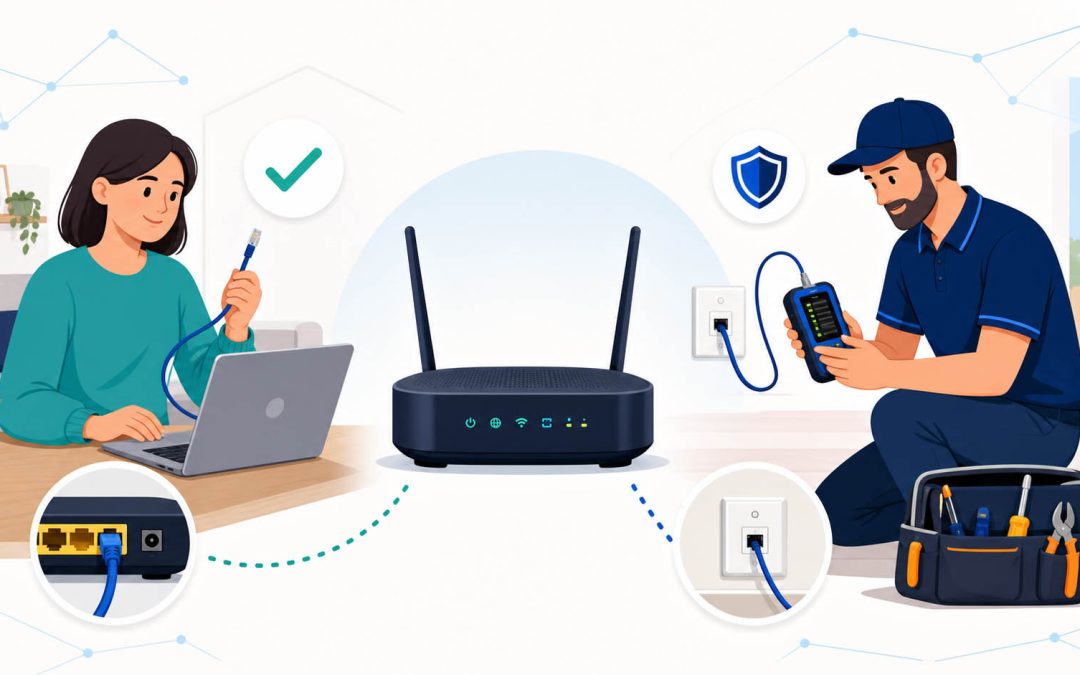
Some basic NBN troubleshooting is safe and worthwhile. However, faults involving fixed cabling, phone sockets, building distribution frames or NBN-owned infrastructure should not be treated as DIY repairs.
The key is knowing where home troubleshooting ends—and when your internet provider, NBN Co or a registered cabler needs to take over.
The short answer
You can safely perform basic checks such as:
- Checking for a known outage
- Restarting your modem or router
- Checking detachable power, Ethernet and telephone leads
- Testing the connection on another device
- Comparing Wi-Fi performance with a wired connection
- Recording error lights, speeds and dropout times
You should not open NBN equipment, alter fixed cabling, reterminate sockets or attempt work inside pits, external boxes or building distribution frames.
If the problem appears to be within your home’s cabling or sockets, use a registered cabler or private NBN technician in Sydney.
First identify which part of the connection is failing
What people call an “NBN problem” can come from several different parts of the service:
- The wider NBN network: An outage or infrastructure fault affecting your address or area.
- Your internet provider: An account, activation, configuration or provider-network issue.
- Your internal cabling: Damaged cables, poor terminations, old sockets or unsuitable wiring inside the property.
- Your local network or Wi-Fi: Router placement, interference, weak coverage or a problem affecting only one device.
Separating these possibilities before arranging a repair can save considerable time.
For example, a wired computer working normally while phones struggle in another room usually points to a Wi-Fi issue rather than an NBN line fault. If both wired and wireless devices disconnect simultaneously, the underlying internet service, router or cabling deserves closer investigation.
Safe DIY NBN troubleshooting
Before calling for assistance, work through the following checks.
1. Check for an outage
Start with the official NBN network status page and your internet provider’s outage information.
An NBN status check may not display every individual fault, but a confirmed outage means internal repairs are unlikely to restore the connection.
2. Record the symptoms
Note exactly what happens when the problem occurs:
- Does the internet stop completely or merely become slow?
- Do all devices lose access?
- Does the Wi-Fi network disappear?
- Which lights change on the modem, router or NBN connection box?
- Do dropouts occur at particular times?
- Did the problem begin after building work, a storm, moving furniture or changing providers?
Photographs of the equipment lights can be especially useful when the problem is intermittent.
3. Restart the equipment correctly
Restart your router and any NBN connection equipment according to your provider’s instructions.
Avoid repeatedly factory-resetting the router. A factory reset can erase settings supplied by your provider and make the original fault harder to diagnose.
Never pull, sharply bend or disconnect a fibre-optic cable. If you are unsure which cables can be safely unplugged, leave them in place.
4. Check detachable leads
Make sure the accessible power, Ethernet and telephone leads are fully seated and have not been crushed, stretched or damaged.
You can test a detachable Ethernet lead by substituting another known-working lead. This does not include fixed cabling running through walls, ceilings or under floors.
5. Compare Wi-Fi with Ethernet
Where possible, connect a laptop or computer directly to the router using Ethernet.
- If Ethernet works well but Wi-Fi does not, the NBN service itself may be functioning correctly.
- If the wired connection also drops out, the fault may involve the router, service or cabling.
- If only one device is affected, investigate that device before assuming there is an NBN fault.
Homes with dead zones or inconsistent wireless coverage may need better router placement or professionally installed wireless access points.
6. Test more than one device
Restart and test another phone, tablet or computer. Temporarily pause large downloads, cloud backups, gaming updates and video streaming during the test.
A single slow device is rarely enough evidence to diagnose a line fault.
7. Run a meaningful speed test
For a more reliable result:
- Use an Ethernet-connected computer where possible
- Disconnect from any VPN
- Pause downloads and streaming
- Test more than once
- Record the time and result
- Compare the result with your internet plan
A Wi-Fi speed test taken at the opposite end of the property primarily measures the wireless connection—not necessarily the performance of the NBN service entering the premises.
Repairs you should not attempt yourself
DIY troubleshooting should stop when the job involves fixed telecommunications cabling or network-owned infrastructure.
Do not attempt to:
- Install, move or reterminate a fixed phone or data socket
- Join, cut or replace cable inside a wall, ceiling or underfloor area
- Remove bridge taps or modify existing telephone wiring
- Open or modify an NBN connection box
- Enter a telecommunications pit
- Open an external network enclosure
- Work inside an apartment building’s MDF
- Repair or replace fibre-optic cabling
- Modify an underground or overhead lead-in connection
ACMA advises that a registered cabler is required for compliant phone and internet cabling work. Registered cablers can install and repair internal phone sockets, data outlets and cabling on the customer side of the network boundary. See ACMA’s guidance on cabling in homes and offices.
Apart from the safety and compliance issues, unqualified alterations can introduce new faults and make the original problem more difficult to locate.
When should you contact your internet provider?
Your internet provider should generally be the first contact when:
- There is a known outage
- A new service has not activated
- The NBN connection equipment displays a fault or optical warning
- The service has stopped working at the network connection point
- Your provider needs to test or reconfigure the service
- You suspect a billing, account or plan issue
- The fault may be within NBN-owned infrastructure
Your provider can run remote tests and, where appropriate, lodge a fault with NBN Co.
Ask the provider to explain what its testing found. If it says the service reaches the premises but the problem is in the internal wiring, sockets or local network, that is usually the point to engage a private technician.
When should you call a private NBN technician?
A private technician or registered cabler is likely to be appropriate when:
- Your provider says the fault is within the premises
- Dropouts appear to be associated with an old phone socket
- The connection works at one socket but not another
- The property has old or unnecessary telephone extensions
- You need a new or relocated phone or data point
- Internal cabling has been damaged during renovations
- The router is in an unsuitable location
- Your wired network or Wi-Fi coverage needs improvement
- An apartment connection requires investigation at the building MDF
- You want the internal cabling tested before continuing with the provider
For FTTN and some FTTC services, old telephone extensions, poor joins and unused branches in the internal wiring can contribute to instability. A technician can inspect and test this cabling and recommend whether it should be repaired, disconnected or replaced.
Where a home or office needs permanent network connections between rooms, professionally installed data cabling can also provide a more reliable result than relying entirely on Wi-Fi.
Private technician or NBN Co technician: what is the difference?
An NBN Co technician generally works on the NBN network and equipment for which NBN Co is responsible. The appointment is normally organised through your internet provider.
A private NBN technician works on customer-side issues such as permitted internal cabling, sockets, data points and local network configuration. Depending on the property and fault, that may include investigating:
- Internal copper cabling and sockets
- Damaged or unsuitable terminations
- Unused extensions and bridge taps
- Router positioning and Ethernet connections
- Data cabling and network outlets
- Apartment MDF jumpering
- Problems associated with the customer side of a lead-in cable
A reputable technician should also tell you when the evidence points back to the provider or NBN Co rather than recommending unnecessary work.
What happens during a professional fault investigation?
The exact process depends on the NBN technology and the symptoms, but an investigation will normally include several of the following steps:
- Reviewing the fault history and any testing already performed by the provider
- Inspecting the connection equipment, router, sockets and accessible cabling
- Testing the service and internal cable path
- Separating line faults from router, Ethernet and Wi-Fi problems
- Checking for damaged terminations, unsuitable extensions or poor-quality cabling
- Identifying the likely network boundary and responsible party
- Completing permitted repairs or recommending the correct next step
The goal is not merely to restart the modem. It is to establish where the fault originates and who is responsible for fixing it.
A simple decision guide
There is a confirmed outage: Wait for your provider or NBN Co to restore service.
A new connection has not activated: Contact your internet provider.
The NBN connection box shows an alarm or optical fault: Contact your provider first.
Your provider says the internal wiring is faulty: Arrange an inspection by a registered cabler or private technician.
Only one phone socket works: Have the sockets and internal cabling tested.
Ethernet works but Wi-Fi is poor: Investigate router placement, interference or wireless coverage.
All wired and wireless devices drop out together: Contact your provider and record the equipment lights when the fault occurs.
The fault involves an apartment MDF: Check with your provider, building manager and a registered cabler to establish which party needs to complete each part of the connection.
Frequently asked questions
Can I repair an NBN cable myself?
You can replace an ordinary detachable Ethernet lead or power lead. You should not repair, extend or reterminate fixed telecommunications cabling. This work should be completed by an appropriately registered cabler.
Can I move my NBN connection box?
Do not move or modify NBN connection equipment yourself. Speak with your provider about the correct relocation process. A private registered cabler may be able to complete related customer-side cabling once the requirements and network boundary have been established.
Should I call my provider or a technician first?
Start with your provider if the entire service is offline, there may be an outage or the NBN equipment shows a network fault. Call a private technician when the provider has identified internal wiring as the likely cause, or when the issue clearly involves your sockets, data cabling or local network.
Can old phone sockets cause NBN dropouts?
On services that use the property’s copper telephone wiring, old sockets, unused extensions, poor joins and bridge taps can sometimes affect stability. Testing is needed to determine whether the wiring is contributing to the fault.
Does slow Wi-Fi mean my NBN connection is faulty?
Not necessarily. Wi-Fi can be affected by distance, walls, interference, router location and the capabilities of individual devices. A wired Ethernet test helps distinguish a Wi-Fi problem from a broader service problem.
Need help identifying the fault?
If you have completed the safe checks and the problem appears to involve internal wiring, sockets or your local network, Telecom Today can test the connection and help determine the appropriate next step.
Book an experienced NBN technician for assistance in Sydney, or call Telecom Today to discuss the symptoms before arranging a visit.